
Azure Monitoring
Domotz network monitoring software integrates with Microsoft Azure, a cloud computing service for application management via Microsoft-managed data centers.
Configure Azure active directory single sign-on directly in Domotz to help your technicians save time and efforts. Allow team members to sign in automatically when they are connected to your corporate network with their corporate devices. Provide easy access to your teams and manage their access from a central location.
Single Sign-On made simple with Domotz and Azure.
How to monitor Azure VM list
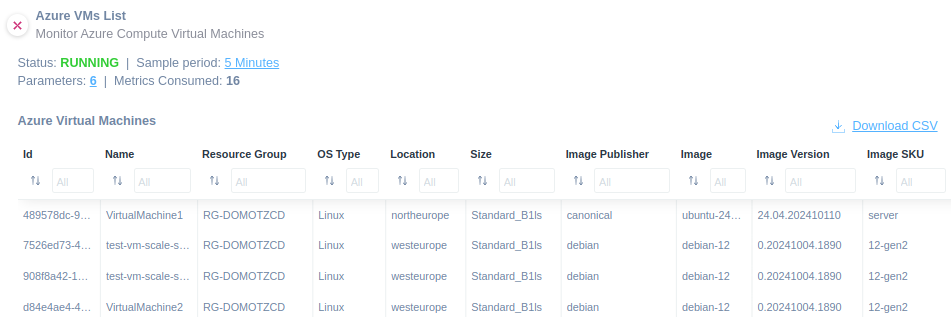
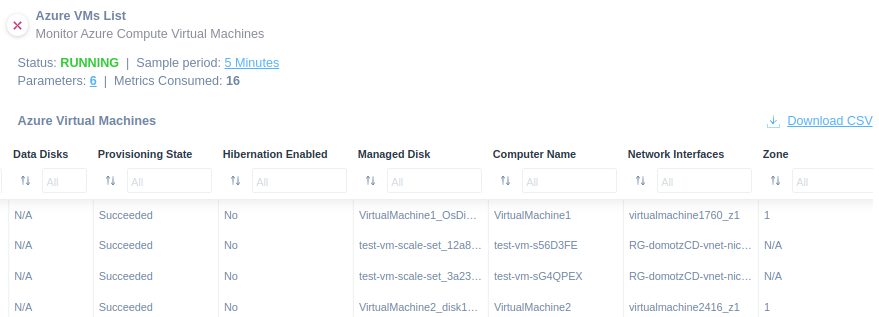
Use our VM list script to monitor your virtual machine list about your Azure.
You will be able to monitor the following:
- ID
- Name
- Resource Group
- Location
- Size
- Provisioning State
- Hibernation Enabled
- Image Publisher
- Image Offer
- Image SKU
- Image Version
- OS Type
- Managed Disk
- Data Disks
- Computer Name
- Network Interface ID
- Zone
The script uses HTTPS as a communication protocol. Find this script in our library.
How to monitor Azure containers
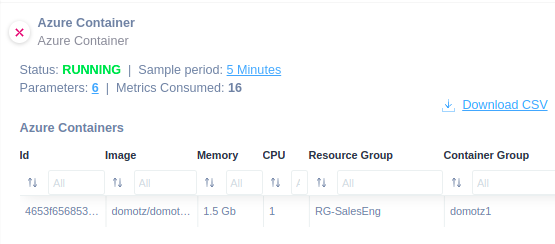
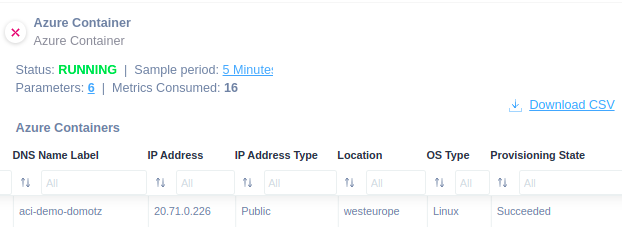
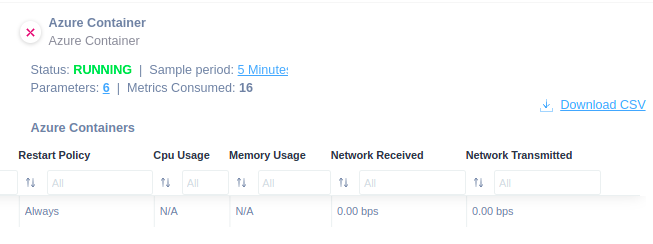
Enhance your ability to monitor and manage Azure Containers efficiently.
Easily apply this script to be able to monitor the following:
- ID
- Image
- Memory
- CPU
- Resource Group
- Container Group
- DNS Name Label
- IP Address
- IP Address Type
- Location
- OS Type
- Provisioning State
- Restart Policy
- CPU Usage
- Memory Usage
- Network Received
- Network Transmitted
The script provides valuable insights and metrics critical for efficient management and troubleshooting. It communicates using HTTPS.
How to monitor Azure virtual machine scale sets
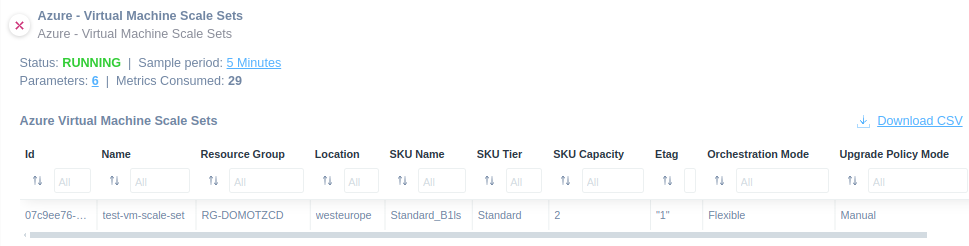
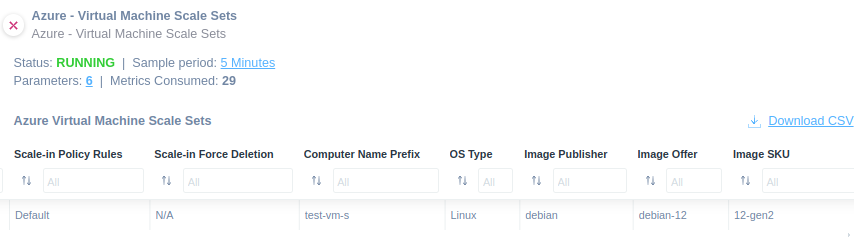
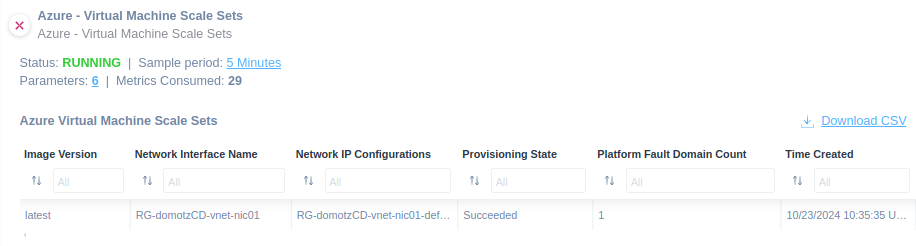
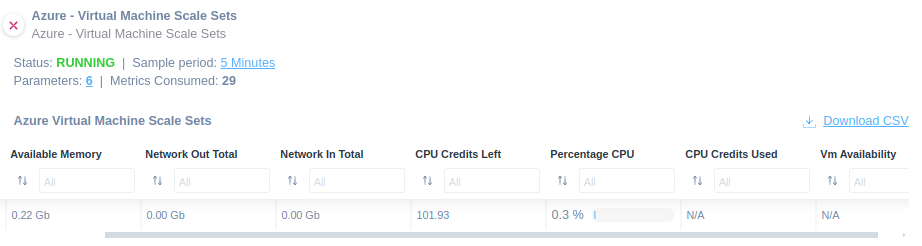
Apply our Virtual Machine Scale Sets script on Azure to monitor the following:
- ID
- Name
- Resource Group
- Location
- SKU Name
- SKU Tier
- SKU Capacity
- Etag
- Orchestration Mode
- Upgrade Policy Mode
- Scale-in Policy Rules
- Scale-in Force Deletion
- Computer Name Prefix
- OS Type
- Image Publisher
- Image Offer
- Image SKU
- Image Version
- Network Interface Name
- Network IP Configurations
- Provisioning State
- Platform Fault Domain Count
- Time Created
- Available Memory
- Network Out Total
- Network In Total
- CPU Credits Left
- Percentage CPU
- CPU Credits Used
- VM Availability
The script uses HTTPS as a communication protocol. Quickly open our library and choose the custom script that fits your needs.
How to monitor Azure virtual machine scale sets disks
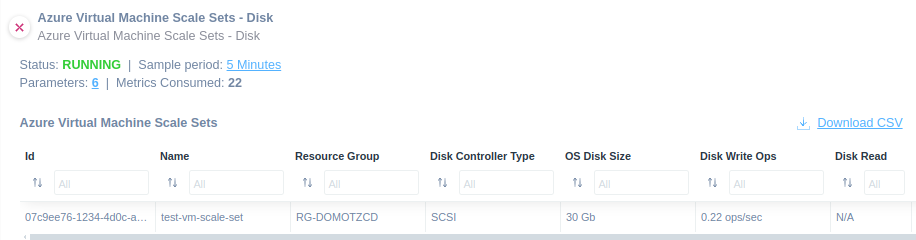
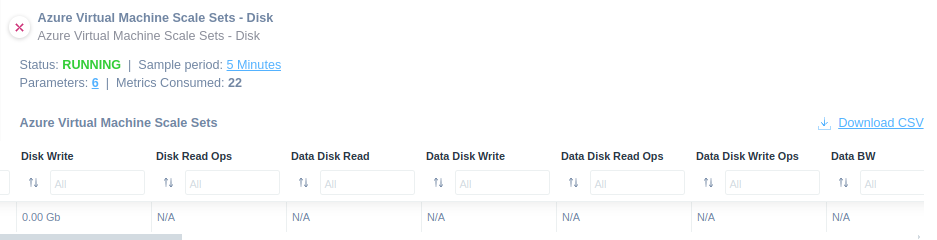

This script enhances visibility, performance management, and cost efficiency for your Azure Virtual Machine Scale Sets disks.
You will be able to monitor the following:
- ID
- Name
- Resource Group
- Disk Controller Type
- OS Disk Size
- Disk Write Ops
- Disk Read
- Disk Read Ops
- Disk Write
- Data Disk Read
- Data Disk Write
- Data Disk Read
- Data Disk Write
- Data Disk Bandwidth Consumed
- Data Disk IOPS Consumed
- Data Disk Target Bandwidth
- Data Disk Target IOPS
- OS Disk Bandwidth Consumed
- OS Disk IOPS Consumed
- OS Disk Read
- OS Disk Write
- OS Disk Read
- OS Disk Write
Find it in our library.
The script uses HTTPS as a communication protocol.
How to monitor Azure Disks information
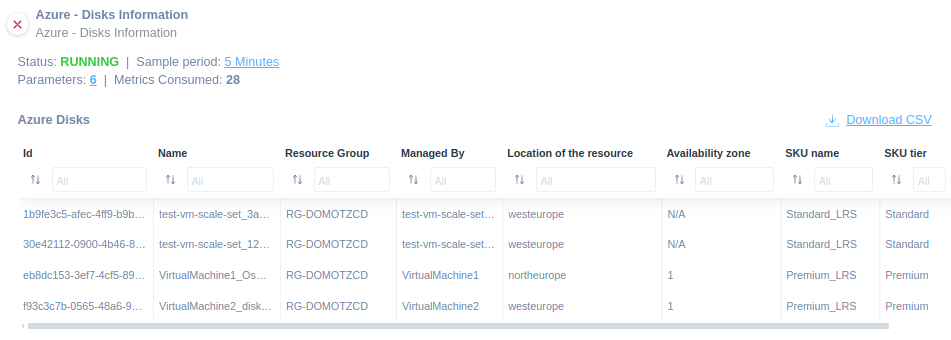
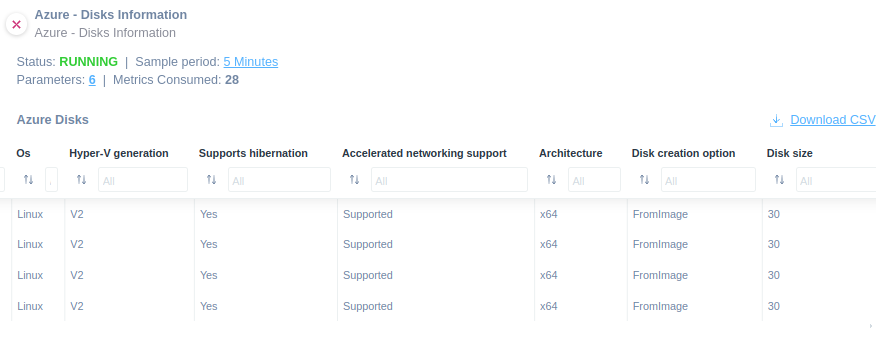
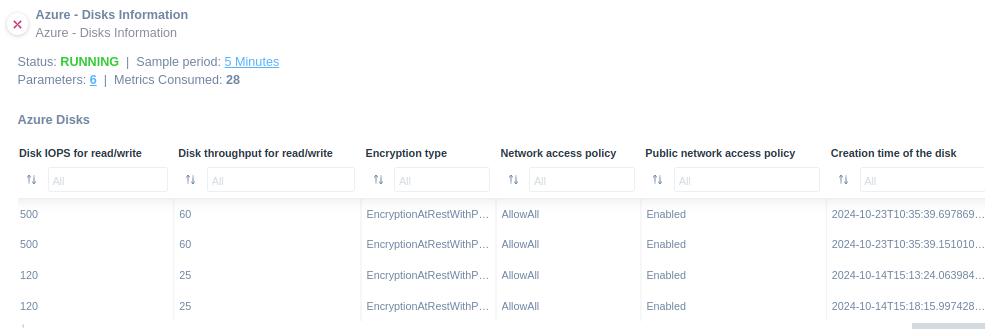
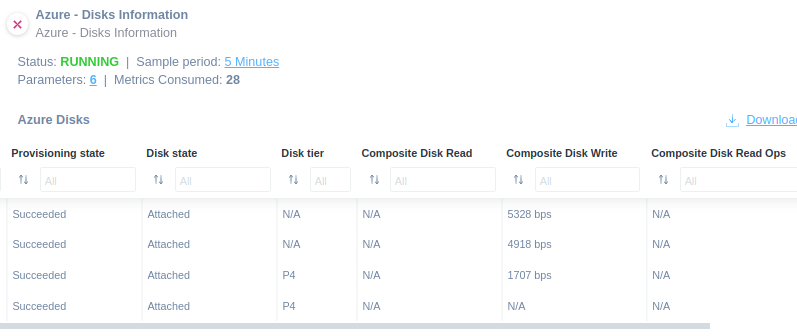
The Disks Information script through Domotz allows you to monitor key metrics and configurations of Azure disks, including performance metrics, resource details, and state.
Apply the script to extract the following information:
- ID
- Name
- Resource Group
- Managed By
- Location of the resource
- Availability zone
- SKU name
- SKU tier
- Os
- Hyper-V generation
- Supports hibernation
- Accelerated networking support
- Architecture
- Disk creation option
- Disk size
- Disk IOPS for read/write
- Disk throughput for read/write
- Encryption type
- Network access policy
- Public network access policy
- Creation time of the disk
- Provisioning state
- Disk state
- Disk tier
- Composite Disk Read
- Composite Disk Write
- Composite Disk Read Ops
- Composite Disk Write Ops
- Disk On-demand Burst Ops
This script uses the HTTPS protocol. Quickly open our library and choose the custom script that fits your needs.
How to monitor Azure billing costs
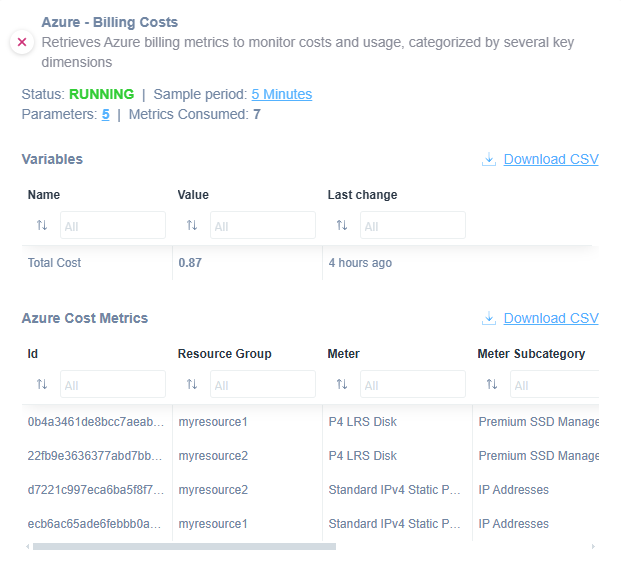
You might use this script to monitor Azure Billing Costs.
Find it ready to use to extract the following properties:
- ID
- PreTaxCost
- UsageDate
- Meter
- MeterSubcategory
- ResourceGroup
- ServiceName
- ResourceLocation
- Total Cost
The script uses HTTPS as a communication protocol. Find this script in our library.
How to monitor Azure VM list metrics
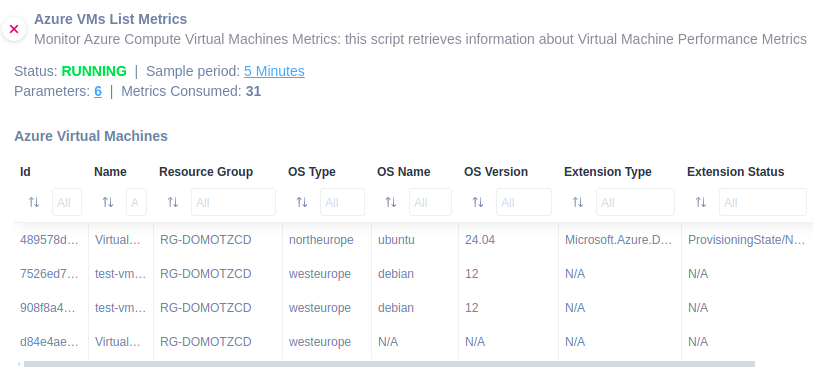
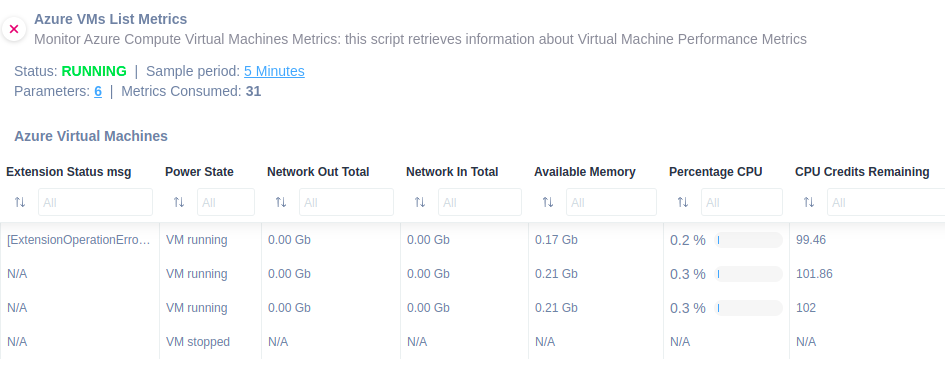
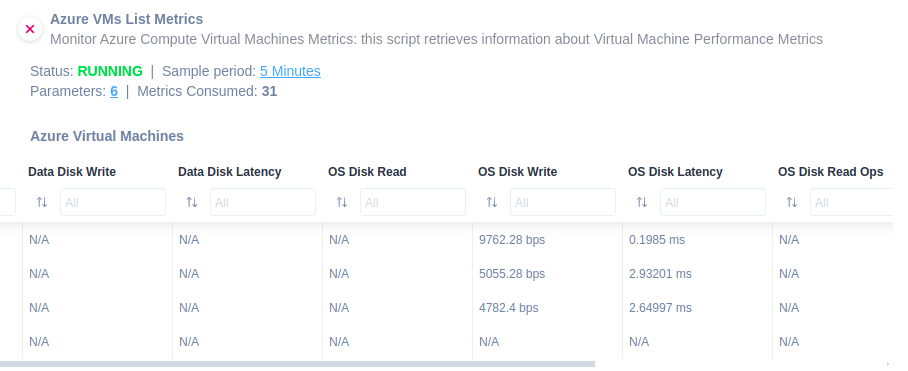
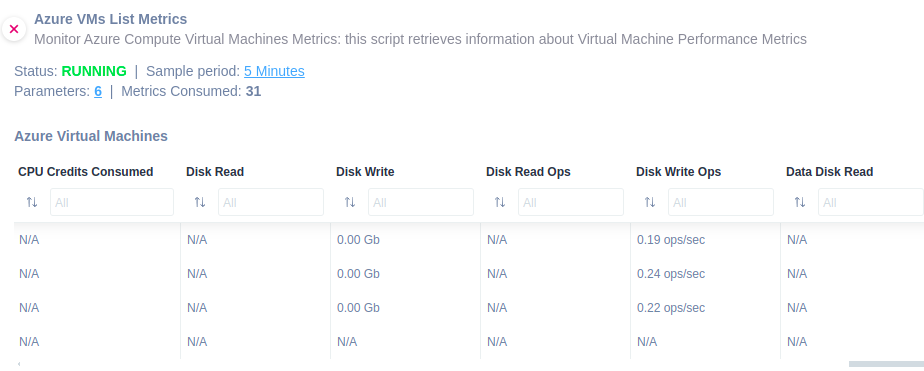
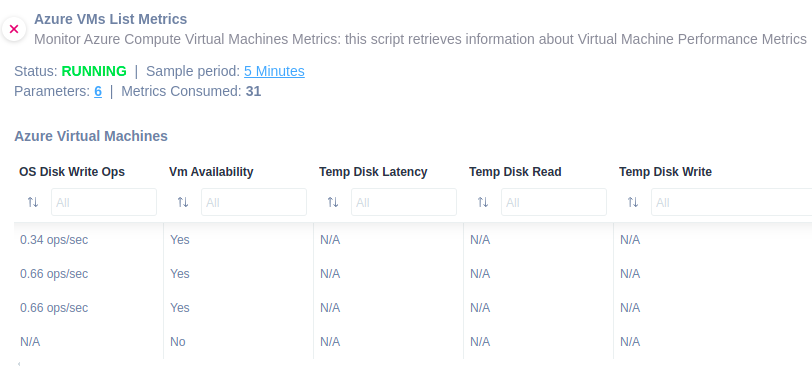
To monitor virtual machines list metrics about your Azure, you might use this script.
Apply the script to extract the following information:
- ID
- Name
- Resource Group
- OS Name
- OS Version
- Extension Type
- Extension Status
- Extension Status msg
- Power State
- Network Out Total
- Network In Total
- Available Memory
- Percentage CPU
- CPU Credits Remaining
- CPU Credits Consumed
- Disk Read
- Disk Write
- Disk Read Ops
- Disk Write Ops
- Data Disk Read
- Data Disk Write
- Data Disk Latency
- OS Disk Read
- OS Disk Write
- OS Disk Latency
- OS Disk Read Ops
- OS Disk Write Ops
- VM Availability
- Temp Disk Latency
- Temp Disk Read
- Temp Disk Write
The script uses HTTPS protocol.
Quickly open our library and choose the custom script that fits your needs.
Full network visibility with ready-to-use scripts
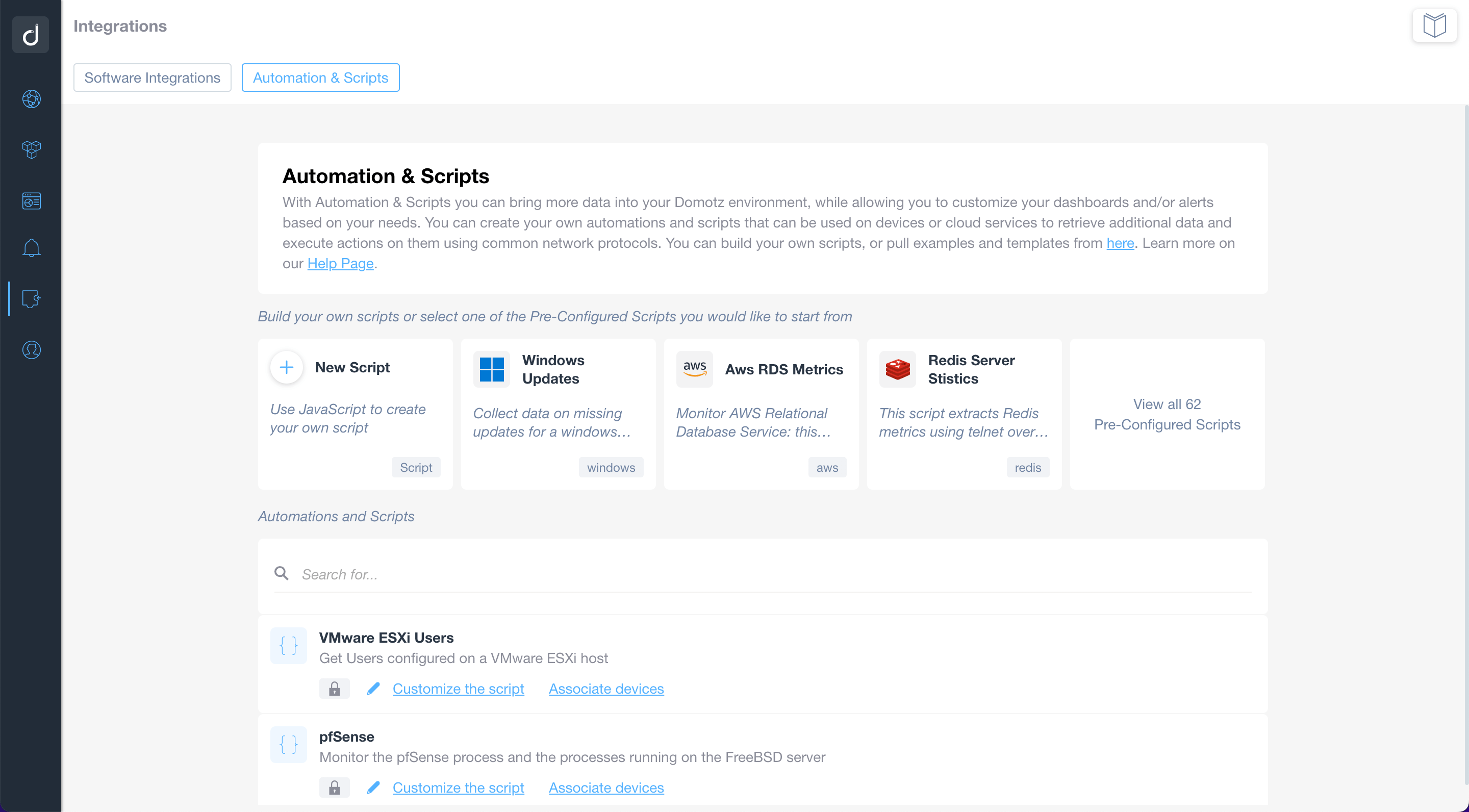
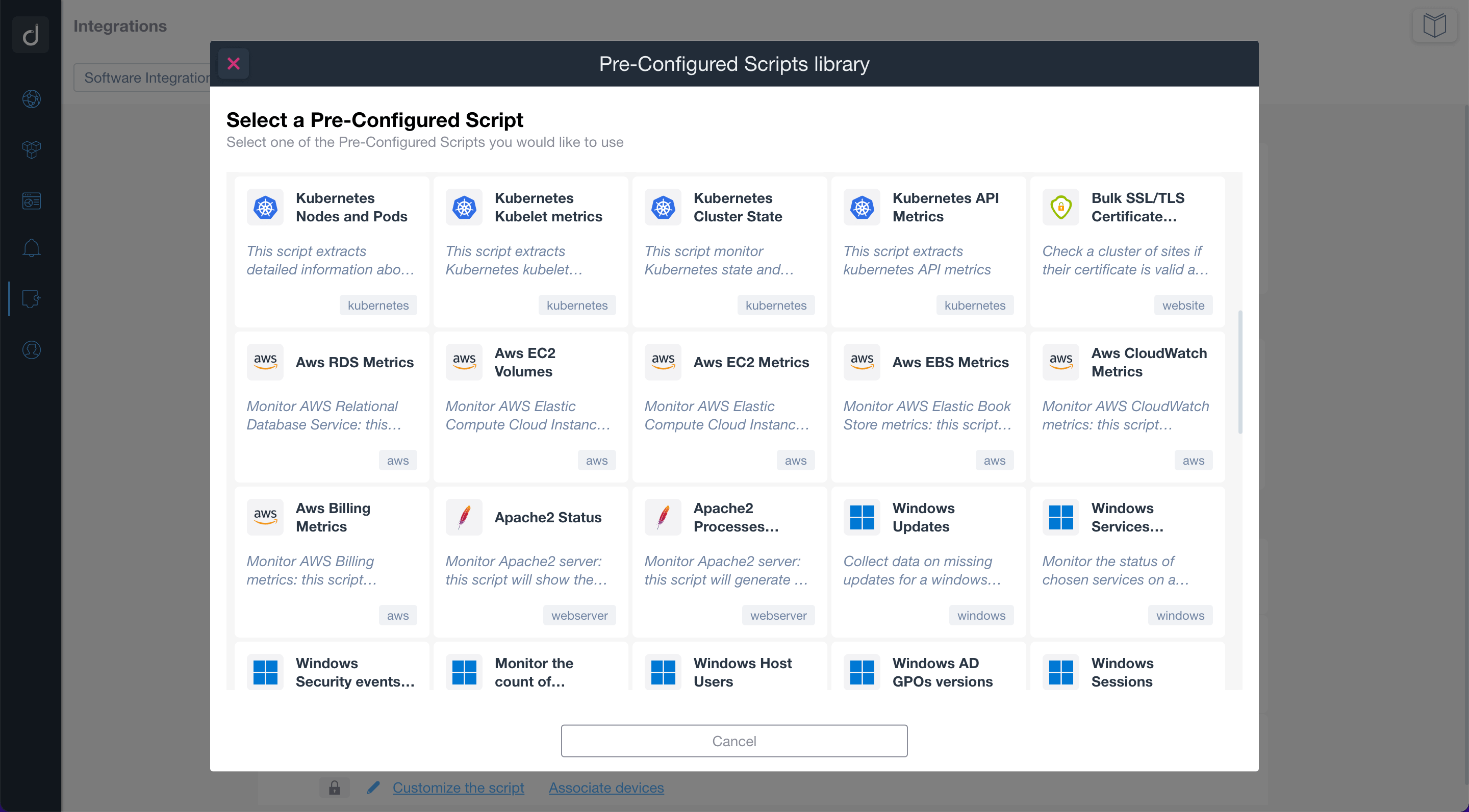
Use the pre-configured scripts to monitor and manage network-connected devices, cloud services, and web applications. By using standard network protocols, the scripts will allow you to retrieve valuable data and execute actions on the monitored devices and services.
Build or customize scripts according to your network monitoring needs.
Additionally, you can apply customized alerts on scripts to be notified when a specific event occurs.
