
SonicWall Monitoring
Enhance your network monitoring operations by leveraging the efficiency of our integration scripts and SNMP templates.
Our network monitoring software offers comprehensive insights into SonicWall products, simplifying its performance monitoring.
Use Domotz to access and extract valuable data, including:
- VPN Stats
- IPV4 Interfaces
- NAT IPV4 Policies
- NAT IPV4 Access-Rules
- Security Services Status and License
- General Properties
- Product Lifecycle
- Device Configuration
Find all the scripts in our library, or customize them to fit your needs.

How to monitor SonicWall firewall VPN stats
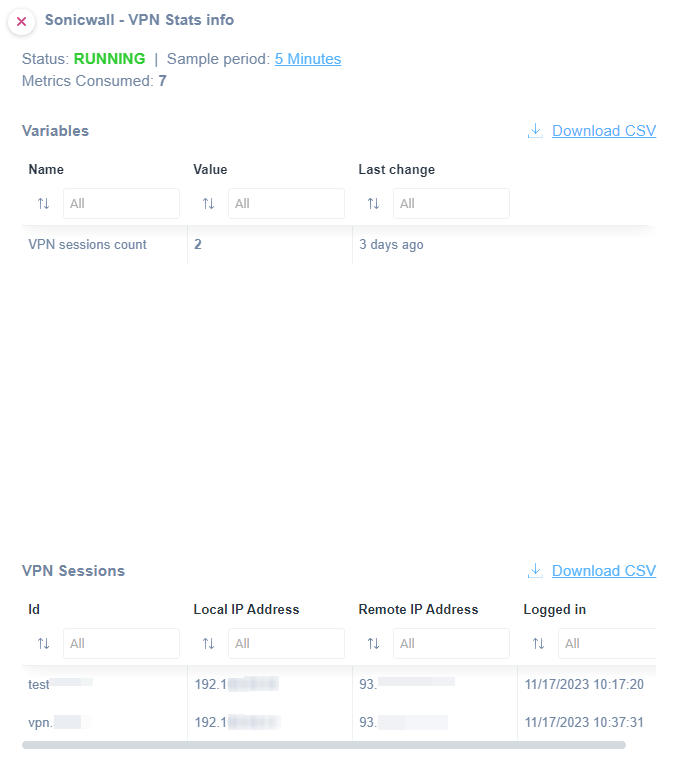
Use our VPN Stats script to monitor VPN statistics on a SonicWall firewall.
You will be able to monitor the following:
- VPN session count
- VPN session name
- Local IP address
- Remote IP address
- Date/time of the Login to the VPN
The script uses HTTP as a communication protocol and has been validated and tested on SonicOS 7. Find this script in our library.
How to monitor SonicWall firewall IPV4 interfaces
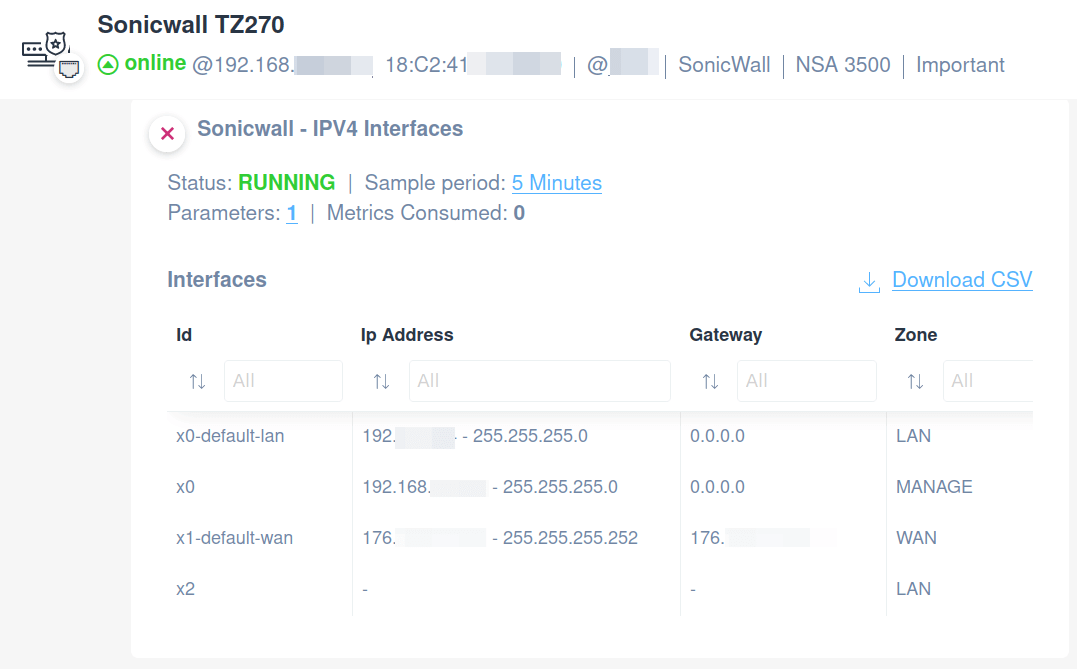
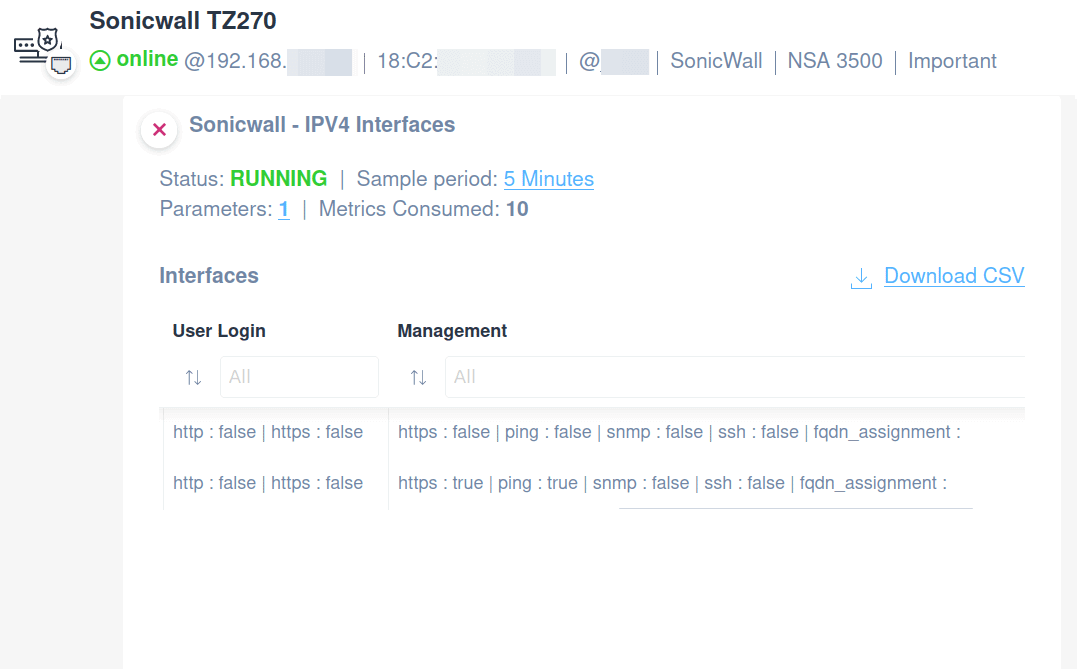
To monitor the NAT IPV4 Interfaces on a SonicWall firewall, you can apply our ready-to-use IPV4 Interfaces script.
You will be able to monitor the following:
- Interface name
- IP address
- Gateway
- Zone
- User login
- Management
Additionally, it is possible to edit a parameter to filter among the Interface Names.
The script uses HTTP as a communication protocol and has been validated and tested on SonicOS 7. You can find this script in our library.
How to monitor SonicWall firewall NAT IPV4 policies
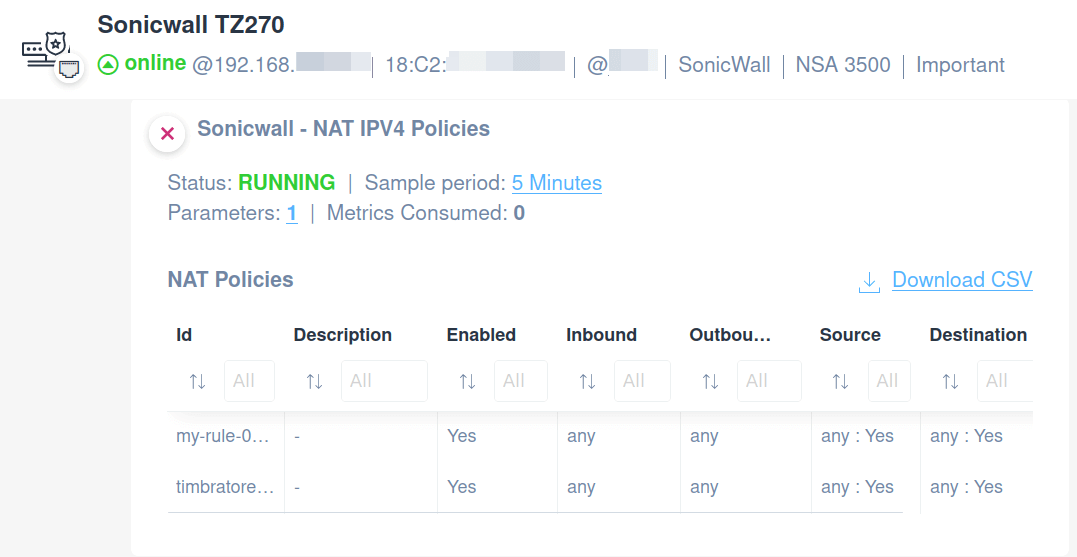
Apply our NAT IPV4 Policies script on a SonicWall firewall to monitor the following:
- Policy name
- Description
- Enabled
- Inbound
- Outbound
- Source
- Destination
It is possible to edit a parameter to filter amongst the Policy Names.
The script uses HTTP as a communication protocol and has been validated and tested on SonicOS 7. Quickly open our library and choose the custom script that fits your needs.
How to monitor SonicWall firewall NAT IPV4 access rules
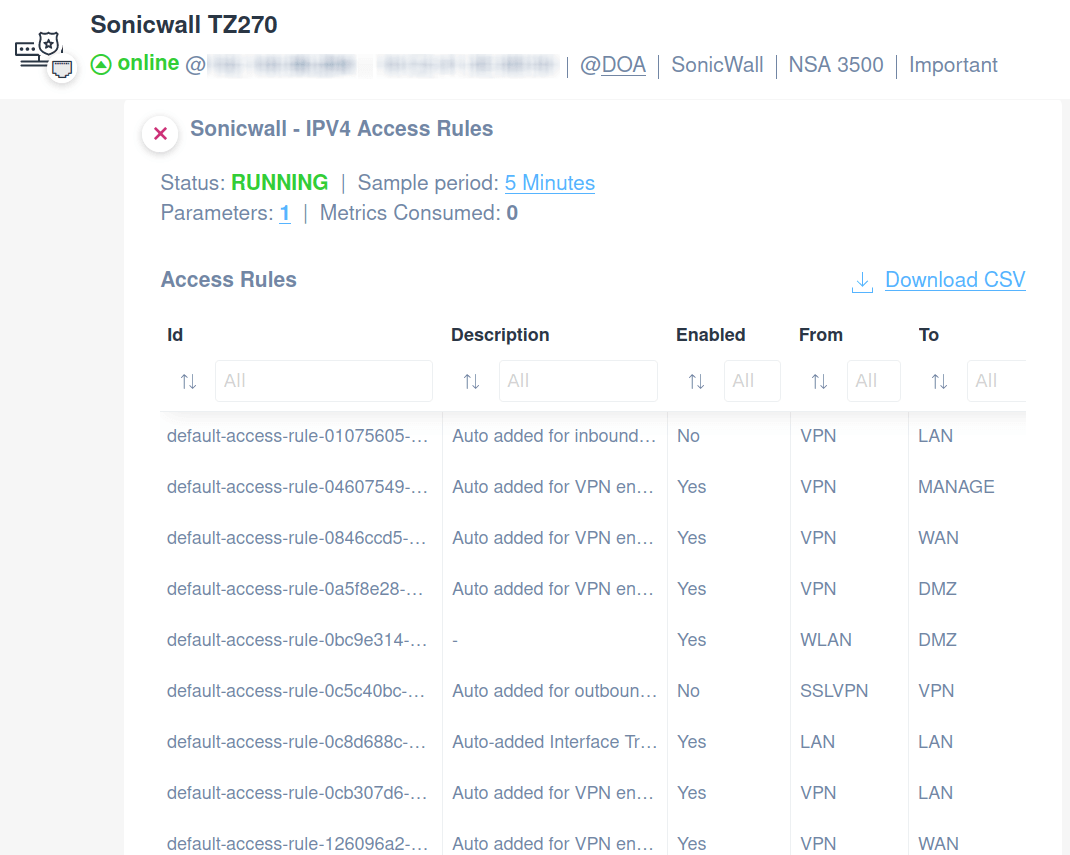
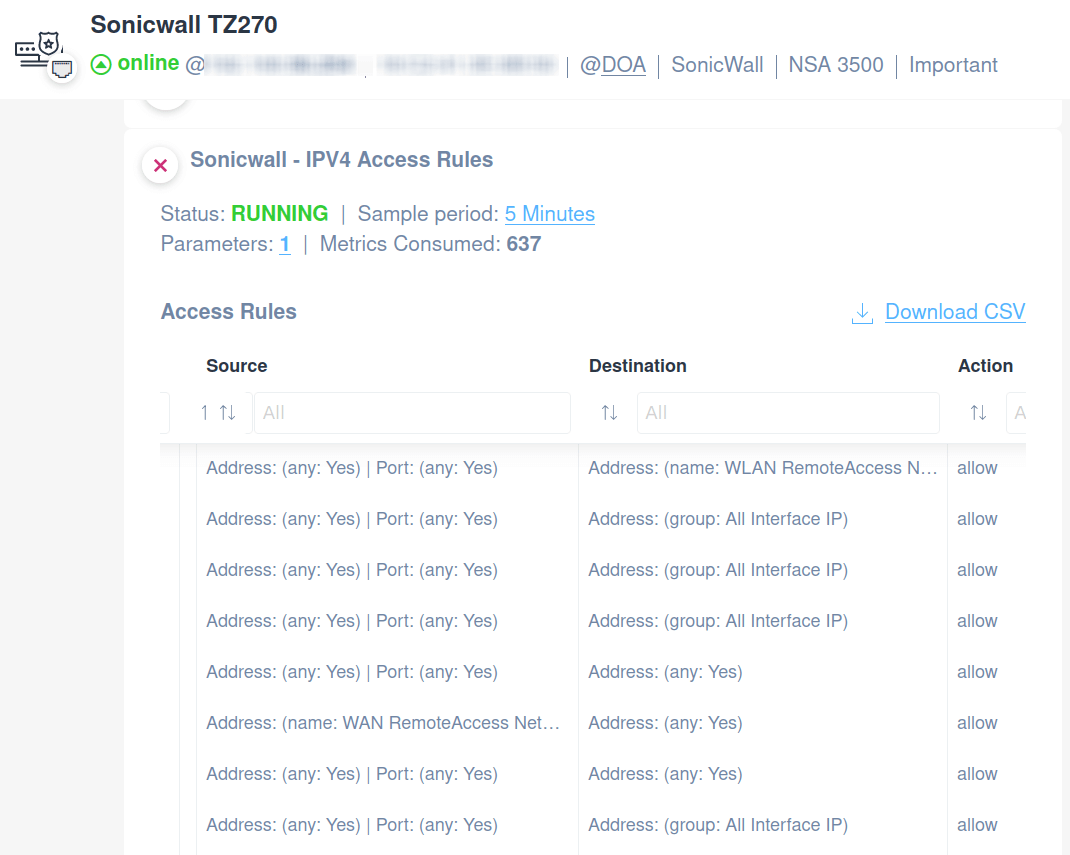
Monitor SonicWall NAT IPV4 Access Rules on your firewall using our pre-configured script.
You will be able to monitor the following:
- Rule Name
- Description
- Enabled
- From (network)
- User login
- To (network)
- Source (IP/host/port)
- Destination (IP/host/port)
- Action
Find it in our library.
The script uses HTTP as a communication protocol and has been validated and tested on SonicOS 7.
How to monitor SonicWall firewall security services status and license
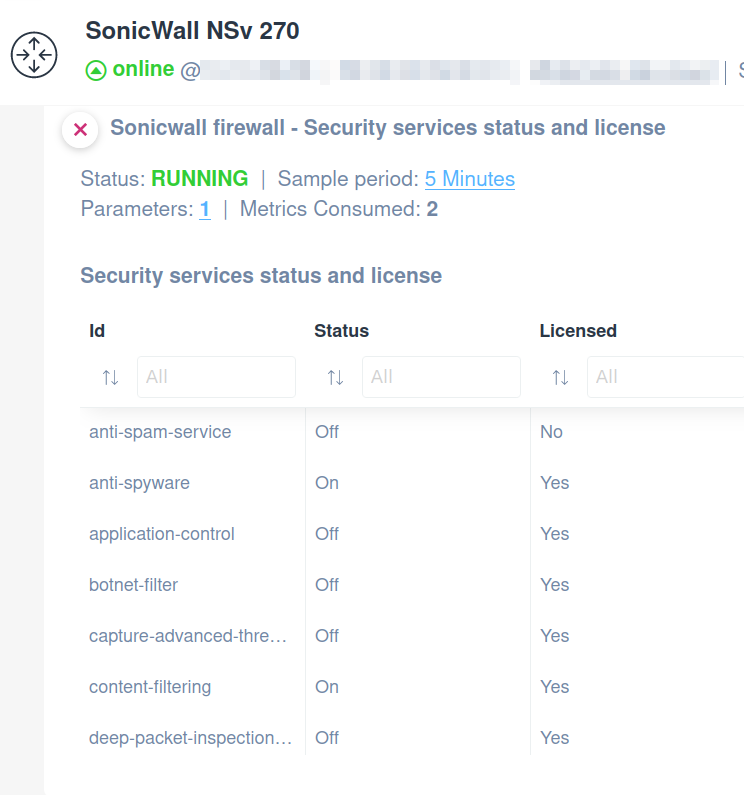
Apply this pre-configured script to monitor the status of the following security services together with their license information:
- Gateway antivirus
- Anti-spyware
- Intrusion prevention and detection
- Geo-IP filter
- Botnet filter
- Application control
- Deep Packet Inspection (DPI) SSL
- Deep Packet Inspection (DPI) SSH
- Content filtering
- Anti-spam service
- Endpoint security - Capture client
- Capture Advanced Threat Protection
This script uses the HTTP protocol and has been validated and tested on SonicWall NSv 270, and SonicOS version 7.0.1.
Quickly open our library and choose the custom script that fits your needs.
How to monitor SonicWall firewall general properties
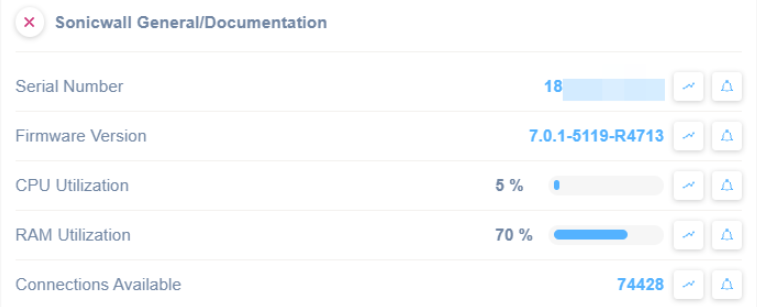
Domotz offers an SNMP pre-configured template to help you extract general properties about SonicWall.
Find it ready to use to extract the following general properties:
- Serial Number
- Firmware Version
- CPU Utilization
- Ram Utilization
- Connections Available
Easily monitor crucial information about your SonicWall with our pre-configured SNMP template.
How to monitor SonicWall firewall product lifecycle
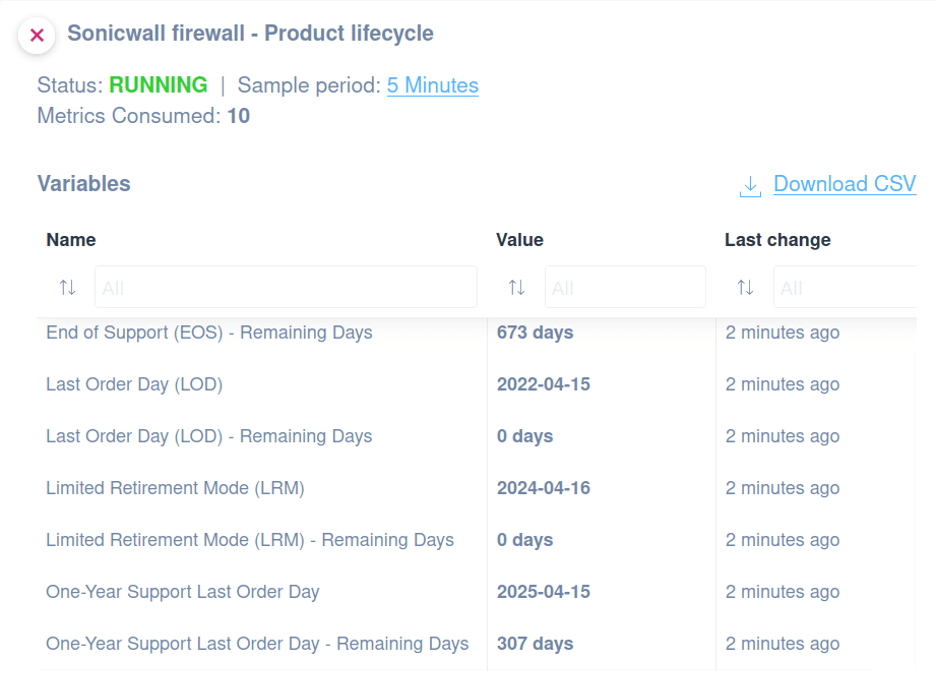
You might use this script to monitor the SonicWall firewall product lifecycle and check when a product is approaching the end of support.
You will able to monitor the following:
- ID
- Last Order Day (LOD)
- Active Retirement (ARM)
- One-Year Support Last Order Day
- Limited Retirement Mode (LRM)
- End of Support (EOS)
- Last Order Day (LOD) - Remaining Days
- Active Retirement (ARM) - Remaining Days
- One-Year Support Last Order Day - Remaining Days
- Limited Retirement Mode (LRM) - Remaining Days
- End of Support (EOS) - Remaining Days
The script uses HTTPS protocol and has been validated and tested on SonicWall NSv 270 SonicOS version 7.0.1-5145.
Quickly open our library and choose the custom script that fits your needs.
How to monitor SonicWall firewall failover load balancing groups
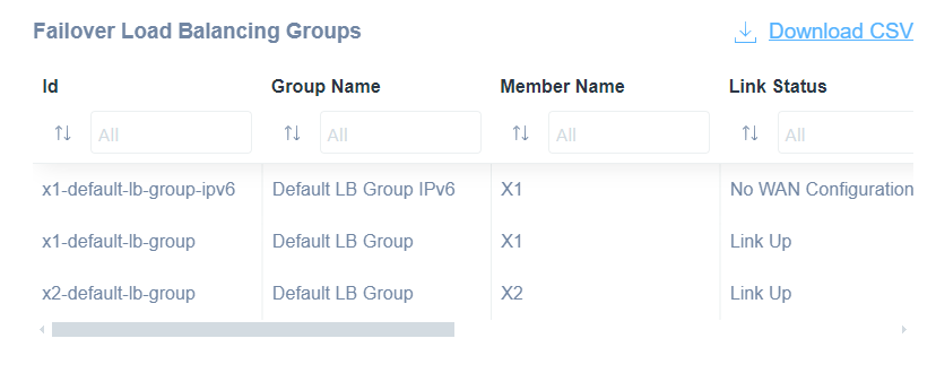
You can apply this script to monitor the failover load balancing groups on a SonicWall firewall.
You can get access to the following information:
- Group Name
- Member Name
- IP Address
- Link Status
- Load balancing status
- Probe status
- Main target status
- Alternate target status
The script uses HTTP as a communication protocol.
Quickly open our library and choose the custom script that fits your needs.
How to monitor SonicWall Firewall IPv4 DHCP Leases
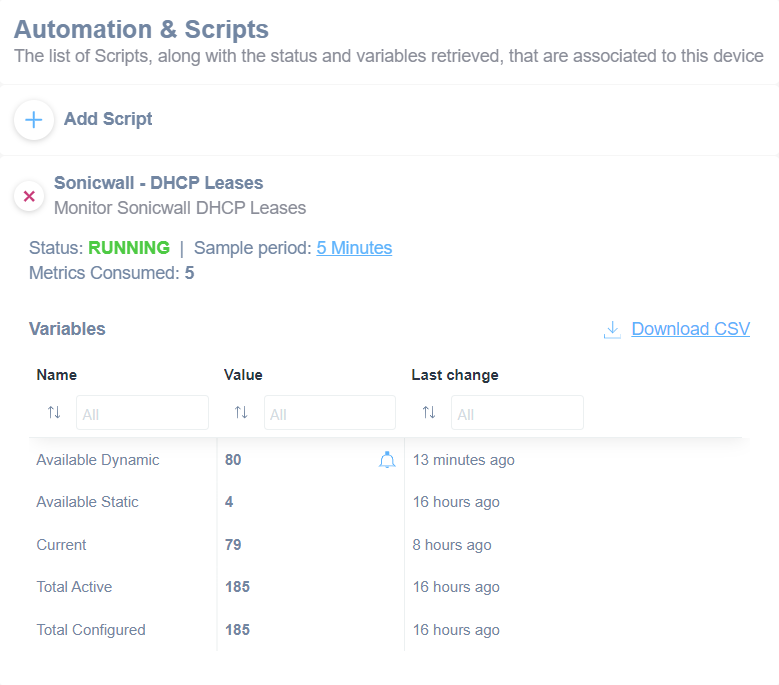
Enhance your network monitoring capabilities by extracting detailed insights from your DHCP lease data.
You can apply this script to monitor IPv4 DHCP leases on a SonicWall firewall.
You will be able to monitor the following:
- Current number of DHCP leases
- Available dynamic DHCP leases
- Available static DHCP leases
- Total active DHCP leases
- Total configured DHCP leases
The script uses HTTP as a communication protocol.
SonicWall firewall configuration management
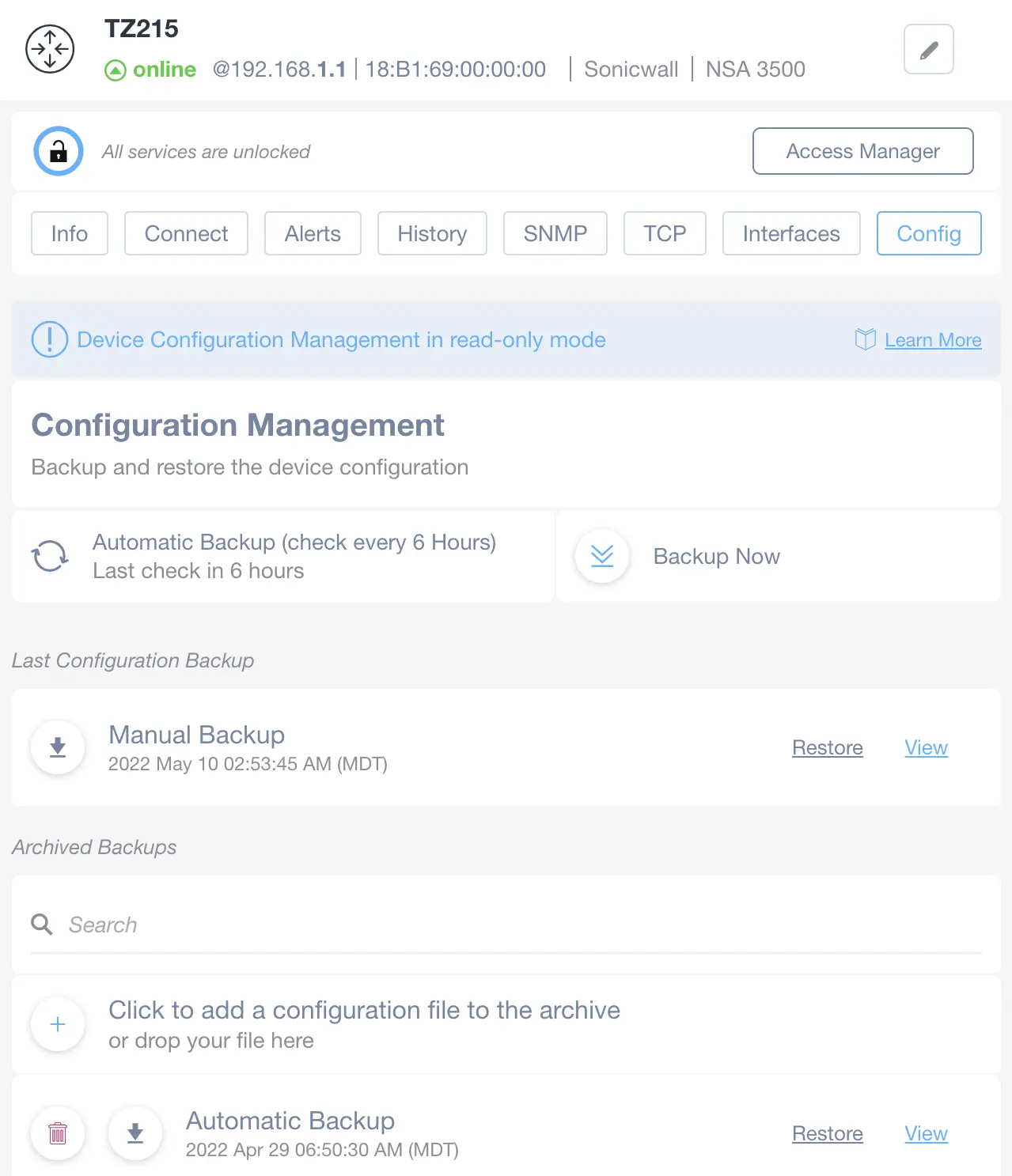
Backup SonicWall configs automatically and when necessary. Use the configuration management API supported by SonicWall firewalls.
How the SonicWall configuration management features work:
- Configuration Management: SonicWall configs are backed up automatically. You can manually back them up on demand if necessary.
- Change Management: Easily compare the running configuration with the saved and previous ones.
- Configuration Alerts: Receive alerts if a network configuration changes. Get notified if a running configuration is different from the saved one.
Monitor networks and manage network configurations on your firewalls from the convenience Domotz dashboard.
Full network visibility with ready-to-use scripts
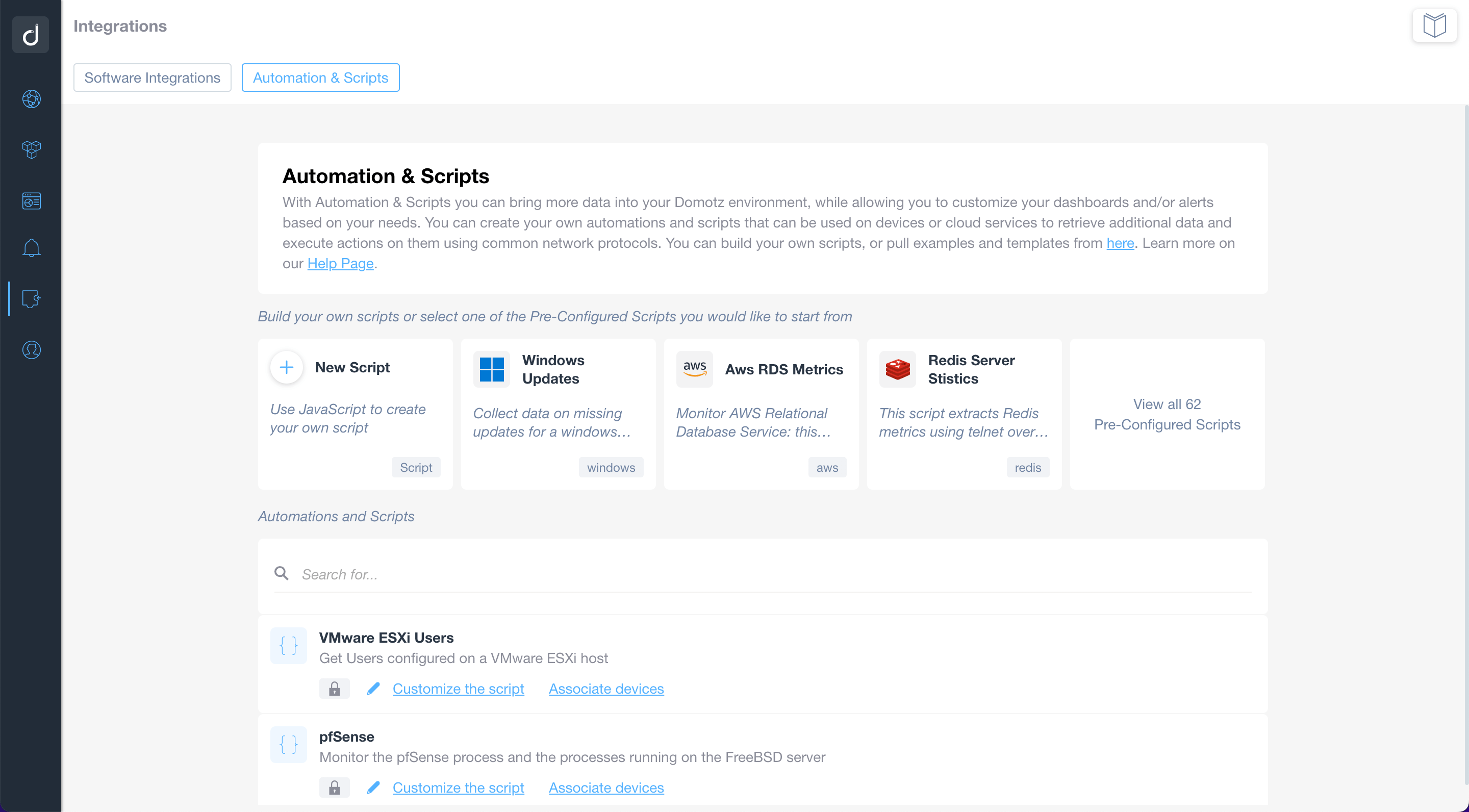
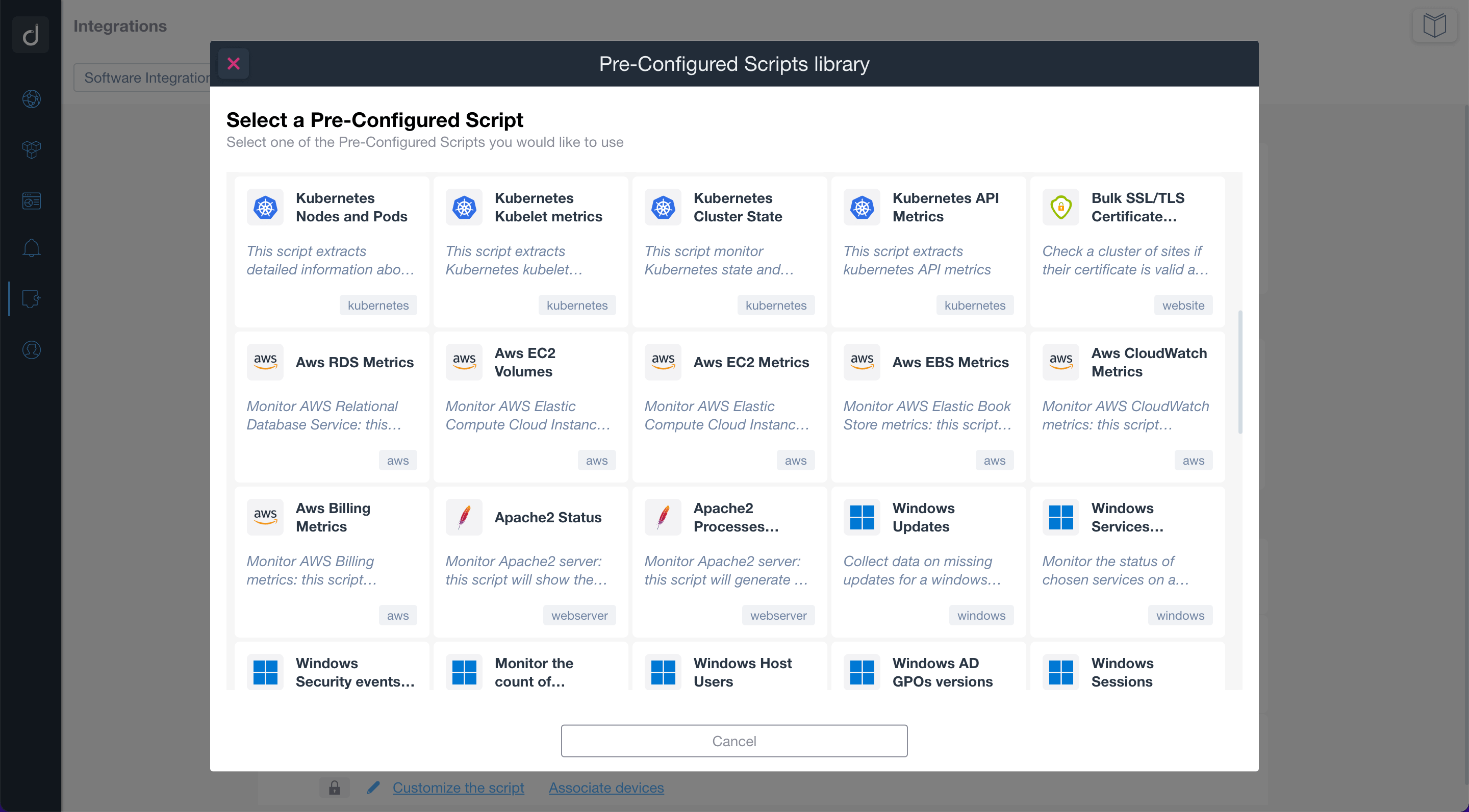
Use the pre-configured scripts to monitor and manage network-connected devices, cloud services, and web applications. By using standard network protocols, the scripts will allow you to retrieve valuable data and execute actions on the monitored devices and services.
Build or customize scripts according to your network monitoring needs.
Additionally, you can apply customized alerts on scripts to be notified when a specific event occurs.

