
MikroTik Monitoring
Domotz brings innovative network monitoring and management to MikroTik switches, access points, and routers.
Apply our custom scripts to extract crucial information about your MikroTik systems. You’ll be able to track as follows:
- CPU Usage
- Memory Usage
- System Information
- Hardware Sensors
The scripts have been validated and tested on the following MikroTik routers: CCR2004-1G-12S+2XS, CRS354-48P-4S+2Q+, CRS326-24G-2S+, and CRS328-24P-4S+.
Find the scripts in our library inside the Domotz App, along with many other scripts.

How to Monitor MikroTik CPU, Memory Usage, and System Information
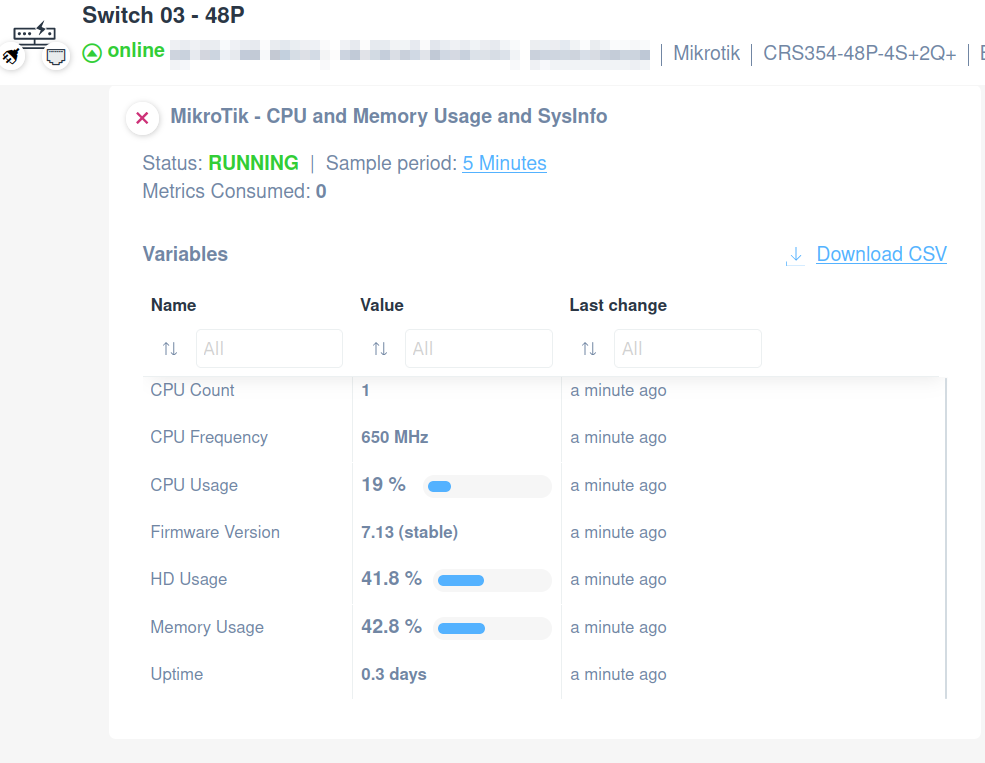
MikroTik CPU, Memory Usage, and System Info script uses the SSH protocol and will help you to extract properties such as:
- CPU Usage
- Memory Usage
- Uptime
- Firmware Version
- CPU Description
- CPU Frequency
- CPU Count
- Board Name
- Free HD Space
- HD Usage
All the scripts are customizable so that you can change them according to your needs.
How to Monitor MikroTik Hardware Sensors
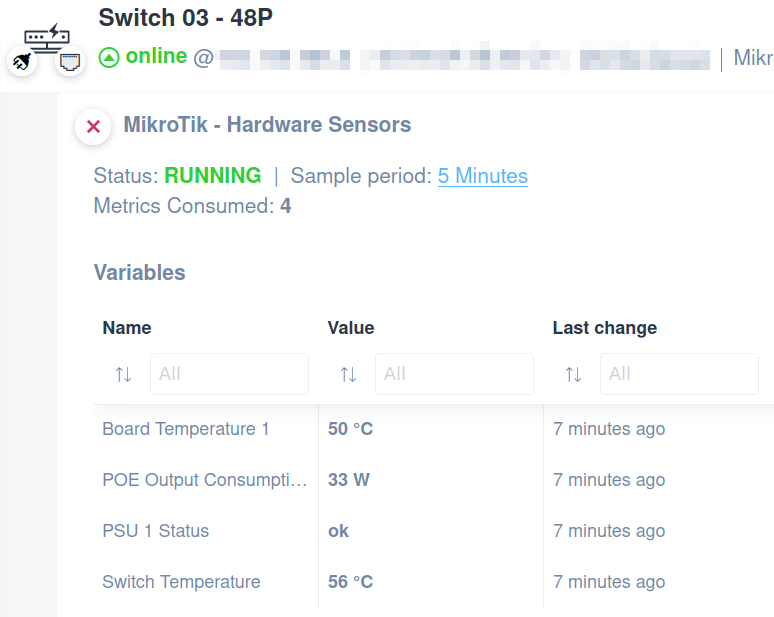
Use the Hardware Sensors script to extract and monitor MikroTik routers, access points, and switch details like:
- Switch Temperature
- Board Temperature
- Power Supply Unit Status
- PoE Output Consumption
Quickly open our library and choose the custom script that fits your needs.
How to monitor MikroTik DHCP Pool
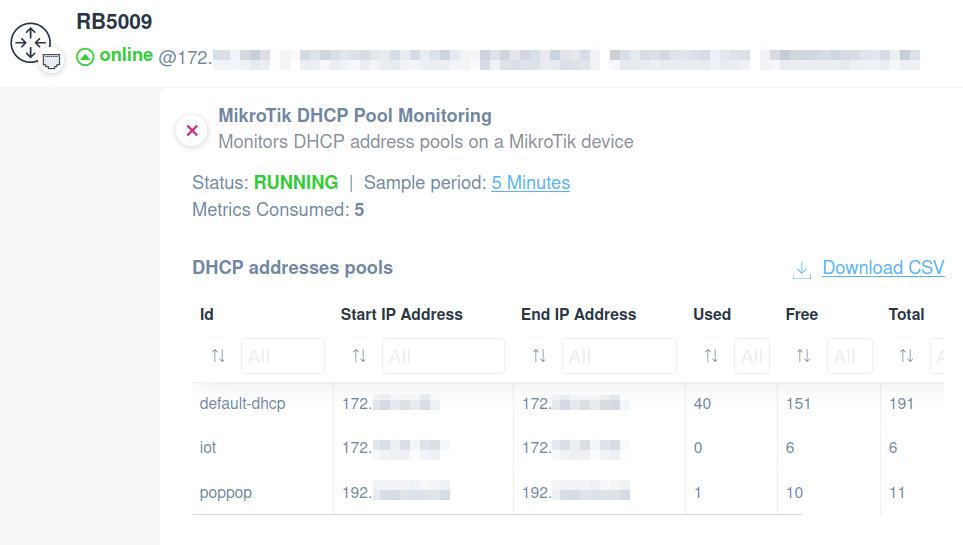
Easily apply the MikroTik script in order to monitor DHCP address pools.
You’ll be able to monitor the following:
- Pool name (Id)
- Start IP Address
- End IP Address
- Number of used IP addresses
- Number of free IP addresses
- Number of total IP addresses
The script uses SSH protocol and has been validated and tested on the following MikroTik routers: RB5009UG+S+.
Full network visibility with ready-to-use scripts
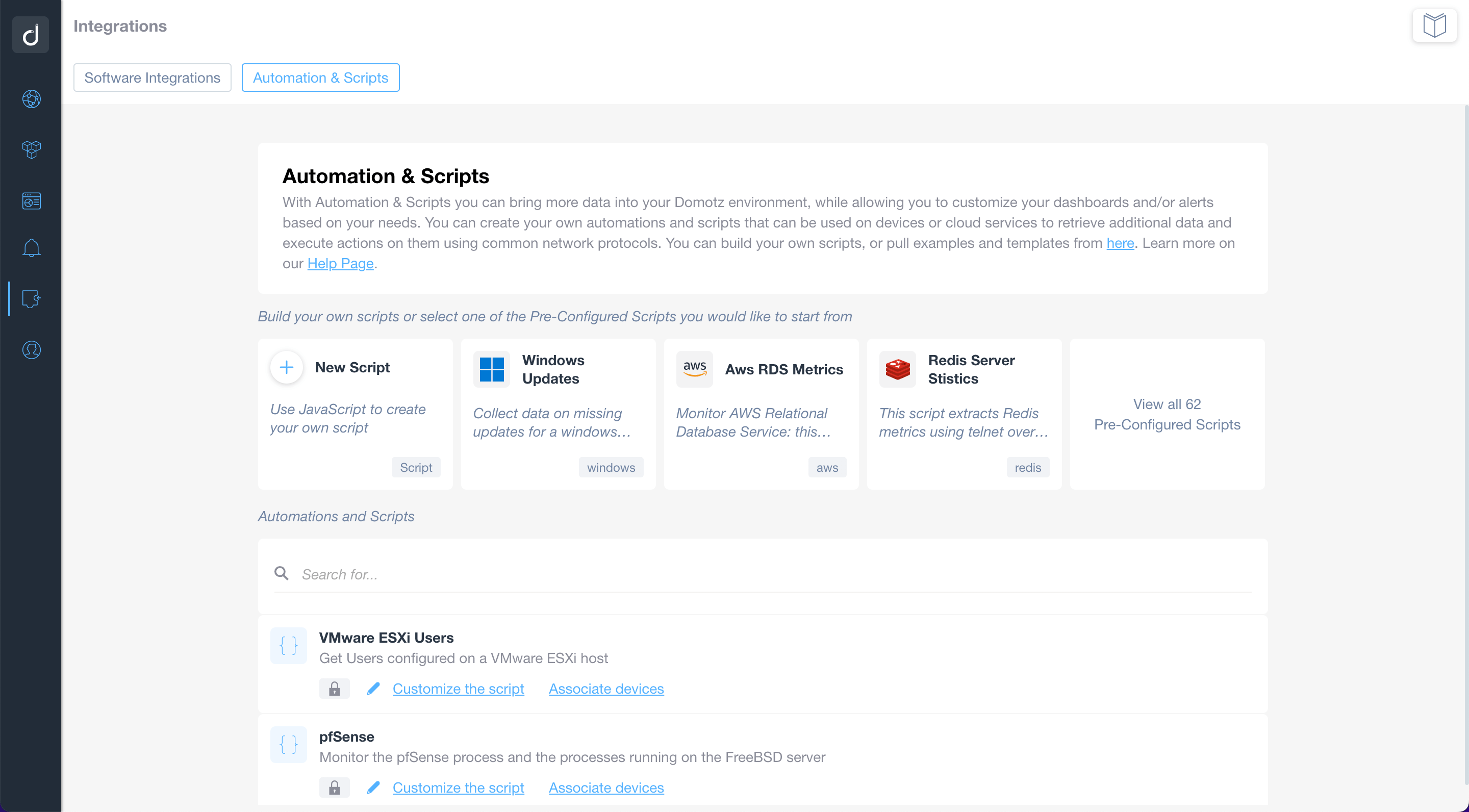
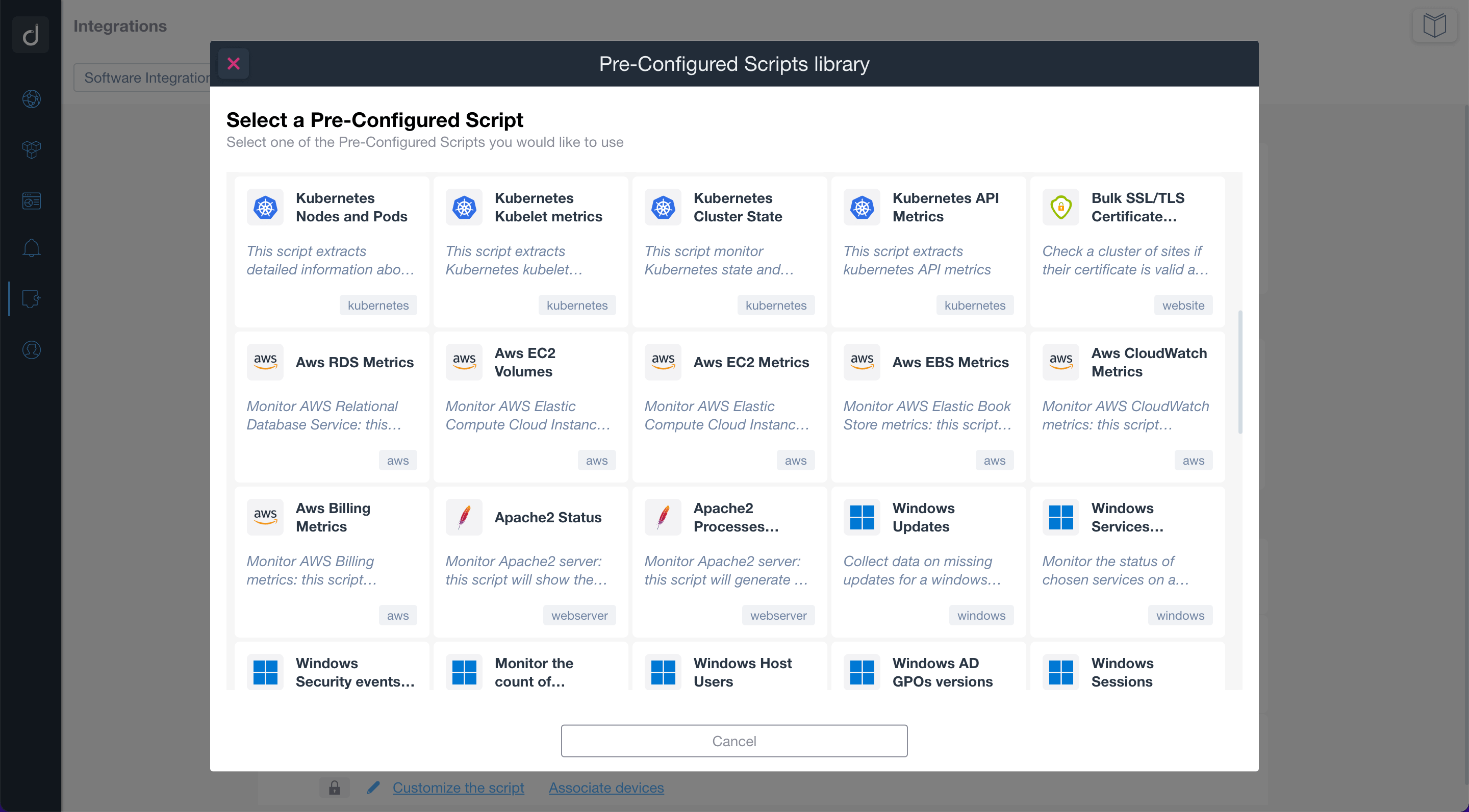
Use the pre-configured scripts to monitor and manage network-connected devices, cloud services, and web applications. By using standard network protocols, the scripts will allow you to retrieve valuable data and execute actions on the monitored devices and services.
Build or customize scripts according to your network monitoring needs.
Additionally, you can apply customized alerts on scripts to be notified when a specific event occurs.

